ATOMFALL metal detector: Locations and How to Use It
Find the ATOMFALL metal detector for free or trade with Molly Jowett, then learn how to read its lights, track buried caches, and dig up useful supplies.
Jump to
Why the Metal Detector Is Worth Picking Up
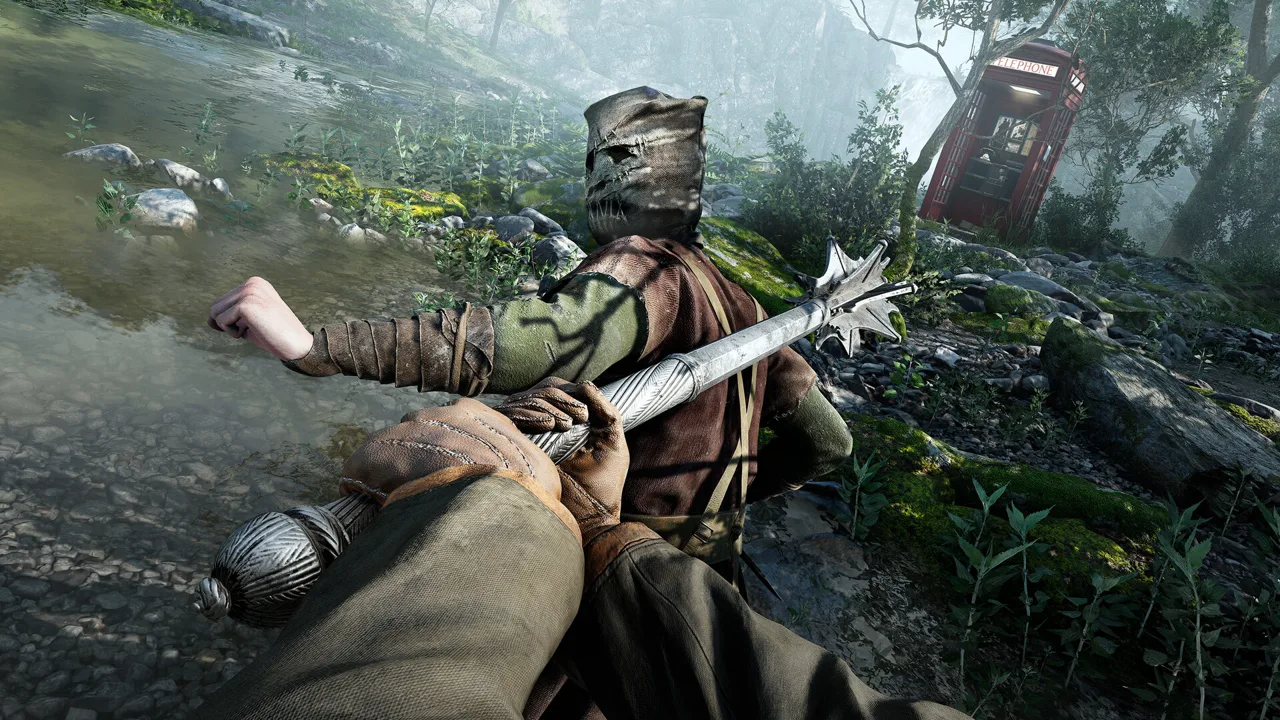
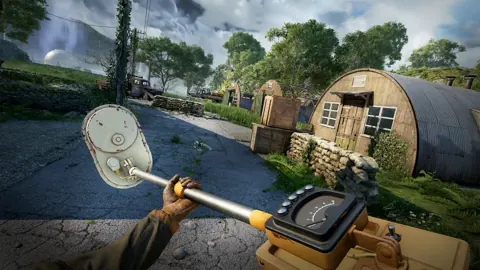
Buried supplies are easy to walk past, but the ATOMFALL metal detector gives you a way to find them. The ATOMFALL metal detector locates underground caches and lunch boxes, which can contain useful materials, Leads, or Recipes. You can collect one for free near the Water Wheels in Slatten Dale or barter with Molly Jowett, then follow its display to a digging spot.
That makes this tool useful for more than gathering miscellaneous loot. According to IGN’s metal detector guide, some buried containers hold information or crafting recipes alongside materials. Finding one can therefore give you something worth investigating, although the contents vary and no particular reward is guaranteed.
Scavenging fits directly into the survival loop described on the Atomfall Steam store page. Rebellion’s survival-action game asks you to explore, craft, barter, and fight through a fictional quarantine zone in the British countryside. Buried containers add another place to look for resources while exploring that environment.
Getting the ATOMFALL metal detector early gives you access to that search tool while you explore Slatten Dale. A good approach is to collect it when your route takes you near either acquisition location, then investigate alerts when the surroundings are safe enough to stop.
The main challenge is understanding its two readings. The directional light helps you face the target, while the lower gauge helps you judge your proximity.
Where to Get the ATOMFALL Metal Detector
IGN documents two early options in Slatten Dale: taking a free detector from a corpse near the Water Wheels, or trading for one at Molly Jowett’s camp. Both locations have map coordinates, so you can choose a route based on where you already are.
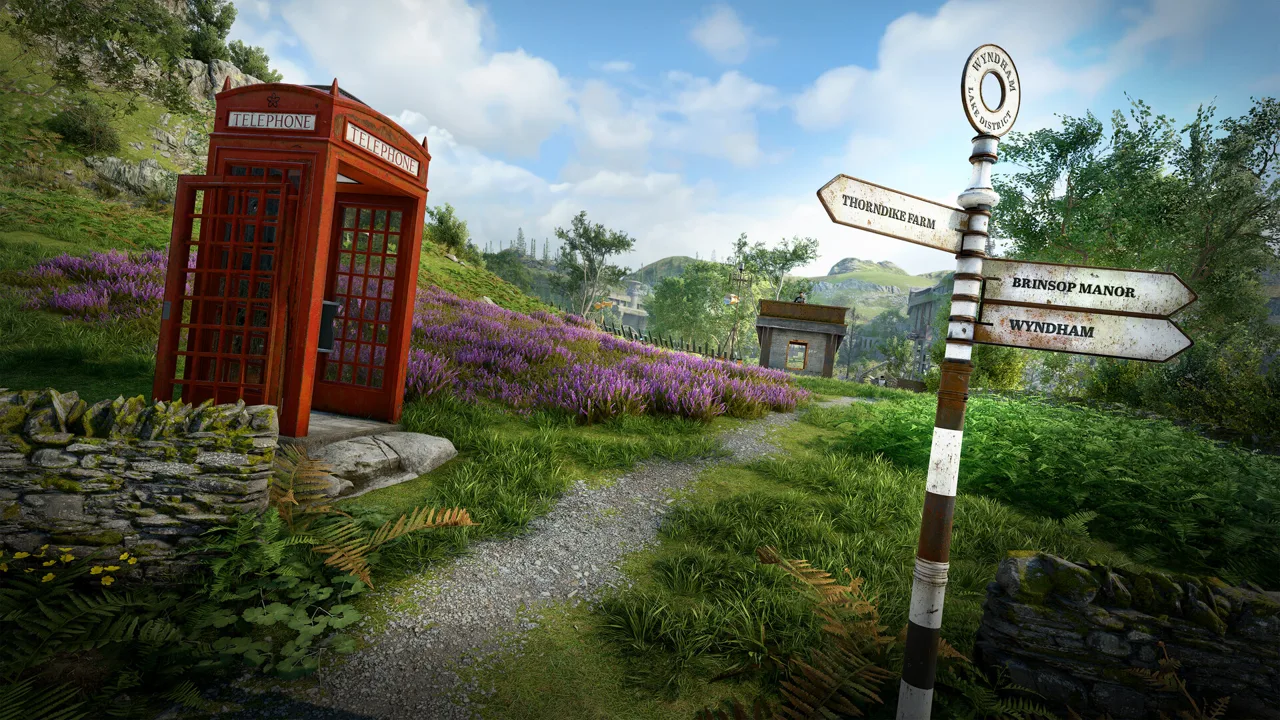 Image: Steam / Rebellion
| Acquisition method | Location | Coordinates | What to do |
|---|---|---|---|
| Collect the free detector | Water Wheels, eastern Slatten Dale | 29.0E, 73.9N | Search the corpse on rocks beside the water |
| Barter with Molly Jowett | Trader Camp, northern Slatten Dale | 26.4E, 79.1N | Offer items she will accept in exchange |
Find the Free Detector Near the Water Wheels
Head toward the small body of water beside the Water Wheels in eastern Slatten Dale. At 29.0E, 73.9N, look for a corpse resting on rocks along the water’s edge. IGN identifies this corpse as a source of a free metal detector.
The shoreline detail matters. Once you reach the landmark, focus your search on the rocks beside the water rather than assuming the detector is inside a nearby structure.
This location also appears in the supplied player video, How to Use Metal Detector & Location Guide - Atomfall. As player experience, the creator shows the detector near the water wheels and pauses while nearby characters pass before demonstrating it.
A good approach is to check your surroundings before inspecting the body or spending time with the detector display. Reading its indicators requires attention, so choose a moment when you can concentrate on the search.
Trade With Molly Jowett
Molly Jowett is at the Trader Camp, 26.4E, 79.1N, near Slatten Dale’s northern border. IGN reports that her goods include a metal detector and a Torch, and that you can obtain the detector by offering suitable items.
The reference does not specify a fixed barter combination. Check the actual exchange before committing your supplies rather than expecting one particular item to cover it.
If you would rather keep your trade goods, the corpse provides a documented alternative. If you are already visiting Molly, inspect her inventory and decide whether the exchange suits what you have available.
How to Read the Detector’s Lights and Gauge
The ATOMFALL metal detector uses separate indicators for direction and proximity in the supplied gameplay demonstration. Understanding that separation helps explain why pointing toward a target does not mean you have already reached it.
 Image: Steam / Rebellion
The following controls and display behavior come from player experience in the video, rather than an official control manual.
| Indicator or control | Behavior shown in the player video | How to respond |
|---|---|---|
| Audible alert | The detector sounds near a detectable object | Bring it out and inspect the display |
| Red light toward the left | The target direction is to the left | Turn left to center the light |
| Red light toward the right | The target direction is to the right | Turn right to center the light |
| Red light in the middle | The detector is facing toward the target | Move forward and keep checking |
| Lower gauge reaching 10 | The creator reaches the buried object | Look for the digging interaction |
Use the Red Light to Adjust Your Heading
In the player’s demonstration, the red light shifts across the display as the character turns. A light on the right calls for a right turn; a light on the left calls for a left turn.
Once the light reaches the middle, the creator moves forward. It can shift again during the approach, requiring another adjustment.
A good approach is to make controlled turns and check the display after each one. Large swings can make it harder to see when the light passes through the center.
Use the Lower Gauge to Check Proximity
The video describes the lower gauge as the proximity reading. In that demonstration, reaching 10 corresponds to standing at the buried object.
Treat the centered light as your heading and the gauge as your proximity check. You still need to approach the target after finding its direction.
Avoid interpreting the gauge as a distance in meters. The supplied material supports its use for judging proximity, but does not provide a conversion into physical distance.
How to Use the Detector and Dig Up a Cache
Once you have the tool, the search process follows a straightforward sequence: prepare it, respond to an alert, align your heading, approach, and dig.
 Image: Steam / Rebellion
This ATOMFALL metal detector walkthrough follows the player experience shown in the supplied video. The creator uses Q on PC to bring out the detector and directs players on other platforms to the control shown on-screen.
| Step | Action | What to check |
|---|---|---|
| Prepare the tool | Open your inventory and equip the detector | Make sure you have selected the tool |
| Respond to an alert | Bring it out when it starts sounding | The player uses Q on PC |
| Read the heading | Aim the detector and inspect the red light | Determine whether to turn left or right |
| Approach the target | Center the light, then move forward | Recheck the light as you move |
| Locate the digging spot | Watch the lower gauge | The demonstration reaches the object at 10 |
| Retrieve the object | Use the available digging interaction | Inspect what you uncover |
Think of the approach as a series of small corrections. The video repeatedly shows the creator turning, walking forward, and turning again before reaching the object.
For example, suppose the red light appears on the right. Following the demonstrated method, turn right until it reaches the middle, then move forward. If the light shifts left during your approach, turn left to recenter it before continuing.
That example uses the video’s directional behavior; it does not depend on a specific cache location. You can apply the same reading process whenever you are investigating an alert.
As you close in, a good approach is to shorten your movements so you have time to inspect both indicators. This makes it easier to notice a heading change without walking a long distance between checks.
When you reach the spot, use the digging interaction presented by the game. The supplied transcript does not establish a dedicated digging key, so follow the visible prompt.
Common Problems and Practical Search Tips
If an ATOMFALL metal detector search feels confusing, compare what you are doing with the behavior shown in the player video. The frequent adjustments in that demonstration are especially useful: finding the direction is an ongoing process as you approach.
| Situation | Relevant behavior from the player video | Suggested response |
|---|---|---|
| You hear an alert but have not located the object | The sound prompts the creator to inspect the detector | Bring out the tool and read its display |
| The light remains to one side | The light indicates a left or right adjustment | Turn toward that side until it centers |
| The light shifts after you walk | The creator recenters it during the approach | Pause and adjust your heading again |
| You are facing the target but still searching | Direction and proximity have separate readings | Continue approaching while checking the gauge |
Avoid Rushing the Final Approach
The video’s repeated corrections suggest a useful habit: check, move, and check again. You do not need to commit to a long walk simply because the light was centered a moment ago.
Near the target, a good approach is to use short movements. If you lose your alignment, stop walking and recenter the light before continuing. This keeps the two tasks—turning and approaching—easy to follow.
Keep Expectations Flexible
IGN says buried caches and lunch boxes contain useful materials, with some also holding Leads or Recipes. That supports investigating them, but it does not establish identical contents for every container.
Treat each find as something to inspect. A materials cache and a container holding a Lead may have different value to your current goals.
Plan Around the Documented Locations
If you are specifically trying to acquire the detector, use the coordinates rather than searching Slatten Dale at random. The free shoreline pickup and Molly’s camp give you two clear destinations.
For learning the tool, focus on the indicators instead of expecting every search to resemble the video’s exact route. Its practical lesson is the sequence of corrections: center the red light, move forward, monitor the lower gauge, and adjust whenever the direction changes.
FAQ
Where can I find a free ATOMFALL metal detector?
IGN documents a free detector on a corpse beside the Water Wheels in eastern Slatten Dale, at 29.0E, 73.9N. Search the rocks along the edge of the small body of water near that landmark.
Can I get a metal detector from Molly Jowett?
Yes. Molly Jowett offers one through barter at the Trader Camp in northern Slatten Dale, 26.4E, 79.1N. You need suitable items to exchange, but the supplied guide does not specify a fixed trade combination.
What do the red light and the number 10 mean?
According to player experience in the supplied video, the red light indicates which direction to turn. Center it before moving forward. The lower gauge measures proximity, and the creator reaches the buried object when that gauge reaches 10.
What button brings out the metal detector?
The player video uses Q on PC and tells players on other platforms to follow the control displayed on-screen. It also shows preparing the detector through the inventory. If your controls differ, use the prompt shown in your game.
Continue with
 ATOMFALL morris wick: Choices, Rewards, and Note GuideExplore ATOMFALL morris wick choices, find the incriminating note, and learn what his bargain offers, including a crafting manual and a Druid introduction.
More in Guide

ATOMFALL a familiar stranger: Lead and Rewards Guide
Follow ATOMFALL a familiar stranger from the village tent to the final rifle cache, with note locations, weapon details, and tips for tracing each clue.
ATOMFALL achievement guide: All 36 Base-Game Unlocks
Use ATOMFALL achievement guide to plan all 36 base-game unlocks, manage ending saves, tackle combat challenges, and prepare for a run under five hours.
ATOMFALL atomic battery: Locations and Power-Up Guide
Find ATOMFALL atomic battery locations, trader options, and robot extraction steps. Plan your route and restore power to the Interchange with this guide.
ATOMFALL beginner tips: 12 Ways to Survive the Zone
Use these ATOMFALL beginner tips to find tools, manage inventory, conserve ammo, barter wisely, and follow leads as you explore the deadly quarantine zone.
Join the community
Official channels for news, updates and player help: